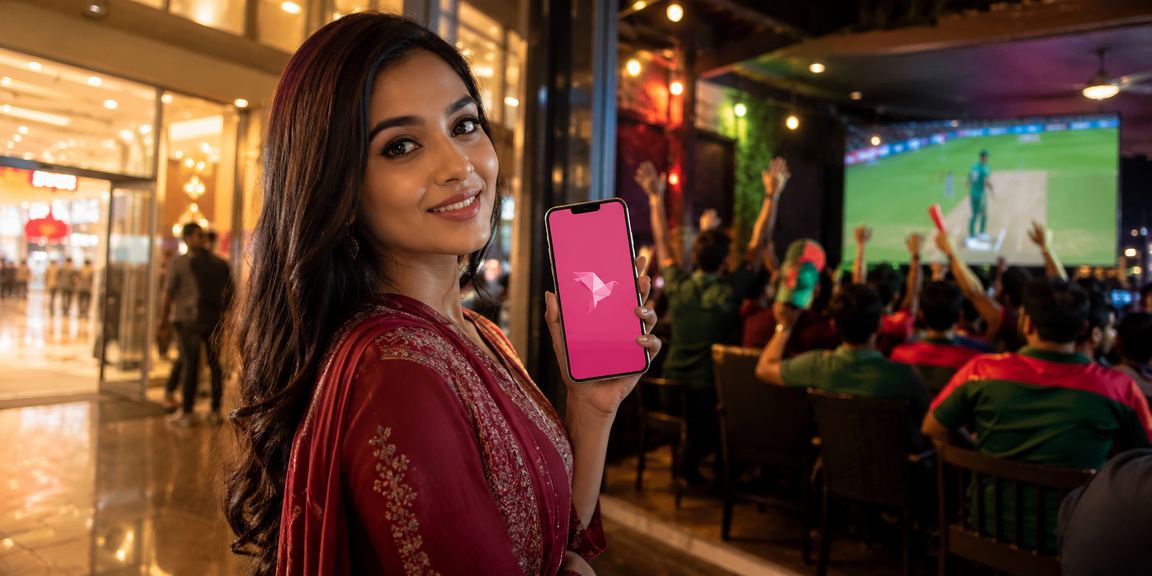
Latest Version Available

Download the Zoya 9th App – Fast, Secure & Easy Installation Guide

Install the Zoya 9th app on your Android phone and enjoy Live Casino, cricket betting, and slots anytime, anywhere.

Version 3.2.1 File Size: 48 MB Android6.0+
zoya 9th
500,000+
Active Users
4.8 ★
User Rating
48 MB
App Size
24/7
Support Available

Key Features of the Zoya 9th App

Why Millions of Bangladeshi Users Are Choosing This App

Fast Loading

The app's lightweight design keeps things running smoothly even on weak networks. Live games stream without issues on a 3G connection.

Top-Level Security

Your account is secured with SSL encryption and two-factor authentication. Your personal data and transactions are fully protected.

Push Notifications

Get instant notifications before major matches start, when bonus offers go live, or when your deposit or withdrawal is complete.

One-Tap Payment

Deposit and withdraw funds in seconds using Mobile Pay, Nagad, Rocket, and all major mobile banking services.

Live Streaming

Watch live streams of cricket, football, and major tournaments right inside the app — and place your bets at the same time.

Dark Mode Support

Switch on Dark Mode for a more comfortable viewing experience when playing at night. It also helps save battery.

zoya 9th

Exclusive Eid & Festival Offers on the App

Zoya 9th always rewards its users on special occasions. Log in to the app during Eid ul-Fitr, Eid ul-Adha, Pohela Boishakh, and other national festivals to unlock exclusive bonuses and cashback offers.

These special offers aren't always on the website — many are exclusive to the mobile app. If you love playing on your phone, downloading the app is genuinely a smart move.

  • Eid Special Deposit Bonus
  • Festival Free Spin Package
  • App-Exclusive Loyalty Points
  • Refer & Win Rewards

Install in Just 5 Steps

No Technical Hassle – Anyone Can Do It Easily

1
Go to the App Page

Go to the app page on Zoya 9th's official site and click the "Download APK" button.

2
Download APK File

Your download will begin shortly. You can track the progress in your phone's notification bar. It usually completes within 1–2 minutes.

3
Allow Unknown Sources

Settings > Security > Enable the "Install from unknown sources" option. You only need to do this once.

4
Open the APK File

Tap the APK file in your Downloads folder. The installation wizard will start automatically.

5
Log In to Play

Once installation is complete, open the app, log in to your account, and start playing right away!

Note: After installation, you can turn the "Install from Unknown Sources" option back off. Keeping it disabled is good practice for your phone's security.
zoya 9th

Why Is the Zoya 9th App Better Than a Browser?

Many people assume that simply opening the site in a mobile browser is good enough. But real-world experience tells a different story. With the dedicated Zoya 9th app, you'll notice the difference from day one.

Login sessions stay active longer, so you won't need to re-enter your password every time. No more worrying about page refreshes while placing live bets. With push notifications, you'll never miss a major offer.

For those into cricket or football in-play betting, the app's low-latency performance is a real advantage. Being able to act fast the moment odds shift makes all the difference.

  • Faster Loading – on average 40% quicker than a browser
  • View Game History Offline
  • Log In with Fingerprint or Face Unlock
  • Lower Battery & Data Usage
  • Auto-Optimization for Screen Resolution

System Requirements

Check If Your Phone Is Compatible

Description Android Mobile Browser
Operating System Android 6.0 or above Any Modern Browser
RAM Minimum 2 GB Minimum 1 GB
Storage 50 MB Free Space Not Required
Internet 3G / 4G / Wi-Fi 3G / 4G / Wi-Fi
CPU Quad-core 1.4 GHz+ Any
IOS Support Use the web version in Safari browser
zoya 9th

Cricket Betting Experience on the App

For the people of Bangladesh, cricket is more than a sport — it's a passion. Zoya 9th lets you take that passion to the next level. From Bangladesh national team matches to the IPL, BPL, and World Cup, you can bet on all forms of cricket right from the app.

With the Live In-Play feature, odds update after every ball, every wicket, and every over during a match. Make the right call in the moment, and you could be looking at a big win. That's exactly where the app's fast response gives you the edge.

Whether you're a newcomer or a seasoned punter, Zoya 9th has markets and bet types for everyone. From match winners and top batters to highest run scorer in an innings — mix up your bets and keep the action exciting.

Keep in mind: Play responsibly. Never bet beyond your budget. For more details, visit our Responsible Gaming Visit the page.

What to Do If You Have Trouble Installing

Simple Fixes for Common Issues

"Can't Install" Error Message

Enable the "Install from Unknown Sources" option in Settings. Depending on your phone, this may be under the Security or Privacy menu.

Download Stopping Midway

Use a Wi-Fi or stable mobile data connection. Resume the download from your Download Manager.

Storage Full Message

Free up at least 100 MB of storage on your phone. Delete unused apps or files, then try installing again.

App Crashing

Delete the old APK file and download the latest version. Make sure your device is running Android 6.0 or higher.

Frequently Asked Questions

Most Frequently Asked Questions About the Download

No, the Zoya 9th app is not currently available on the Google Play Store. You'll need to download the APK directly from our official website. Please avoid downloading the APK from any third-party sites.

Yes, downloading and installing the Zoya 9th app is completely free. There are no subscription or installation fees — you only need standard mobile data, capped at 48 MB.

There is currently no dedicated iOS app. However, you can use our mobile-optimized website in Safari on your iPhone or iPad. The experience is nearly identical to the app.

When a new version is available, you'll get an in-app notification. Most updates can be applied with a single tap from within the app. For major updates, you may need to download a new APK.

No. Under Zoya 9th's rules, each user may hold only one account. Creating multiple accounts is strictly prohibited and may result in account suspension.

For any issues, contact us Help Center Visit the page or reach our support team via live chat. Assistance is available 24/7.

Get Started Now

Download the Zoya 9th app and enjoy a special welcome bonus on your first deposit.

বাংলা